The Shoebox Problem: Turning Inherited Family Photos Into a Story Worth Keeping
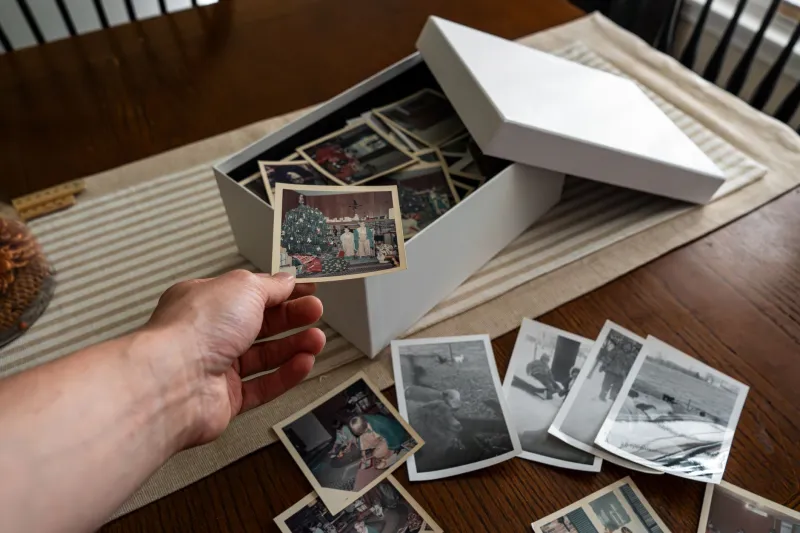
There is a particular smell to a box of old negatives. Cellulose, dust, a hint of someone else's loft. It is the smell of a job you have been putting off since the funeral, or since the house clearance, or since your mum handed you a carrier bag and said, 'You're better with computers than I am.'
At Cottage Road Studios, we get asked about family archives fairly often. Usually the question is framed as a technical one: what scanner should I buy? What resolution? Which cloud service? Those things matter, but they are not the real problem. The real problem is that a shoebox of photographs is not a collection. It is a pile. And a pile does not become a story simply by being turned into a folder of JPEGs.
Start With the People, Not the Pixels
The first instinct for many families is to scan everything. Every print, every slide, every strip of 35mm negatives. That is understandable. It also tends to stall somewhere around the third evening, when you realise you have 900 files named IMG_0042 and no idea which cousin is in half of them.
A better first move is to gather the people who can still name names. Sit down with an aunt, an uncle, a neighbour who remembers the street before the bypass. Go through the prints together, not to scan them, but to talk. Write names on the back in pencil. Note the year if anyone is confident. Note the place even if they are not. That conversation is the real metadata. The scanner is just a photocopier with better manners.
Earlier this year we worked with a family in Headingley, Leeds, who had inherited roughly 1,200 negatives and slides from a grandfather who had been a keen amateur photographer. The images were beautiful but almost entirely unlabelled. The breakthrough came when a daughter remembered that her dad always wrote a code on the developing envelope: a letter for the month, a number for the roll. That code, not the scan resolution, unlocked the chronology.
The Case of the Headingley Box
The family arrived at our studio with three carrier bags and a biscuit tin. We spent the first session doing nothing but sorting into rough piles: people, places, work, holidays, unknown. The 'unknown' pile was the biggest. That is normal.
We then scanned in batches of twenty or thirty, using a flatbed for prints and a dedicated film scanner for the negatives. Nothing fancy. The aim was not museum-grade preservation. The aim was a usable, legible copy that could be shared and sequenced. We scanned at 600dpi for prints and 2400dpi for negatives, saved as TIFFs for the archive and JPEGs for everyday use. It is a sensible middle ground for most UK families.
The turning point was the sequencing. Once we had a rough chronology, we stopped thinking about individual photographs and started thinking about chapters. The early rolls from the 1970s. The move to the terraced house. The arrival of the dog. The holidays in Whitby. The years when the children were small and the camera was always out. Suddenly the archive had a shape.
A Scanning Workflow That Won't Eat Your Weekend
If you are facing your own box, here is a practical route that keeps the job finite.
First, buy or borrow a decent flatbed scanner and a film holder. You do not need a professional setup. A second-hand Epson Perfection will do more than most families need. Work in batches of no more than an hour. Scanning is tedious and your attention will drift.
Second, name files as you go. A simple convention like 1978-06-whitby-003 is worth more than any automatic tagging system. It is boring. It is also the difference between an archive and a mess.
Third, keep a spreadsheet. One row per image or per batch. Columns for date, place, people, source, and any notes. It does not need to be perfect. It needs to exist.
Fourth, do not scan everything. This is the controversial bit. If a photograph is blurred, duplicated, or meaningless, you are allowed to let it go. The goal is not completeness. The goal is a story worth keeping. A tight edit of 300 images will be looked at far more often than a sprawling folder of 3,000.
Sequence Beats Perfection
Once you have a decent set of scans, resist the urge to dump them into a shared drive and call it done. Sequence them. Put them in order. Write short captions. Include the gaps. The missing years are part of the story too.
For the Headingley family, we ended up with a 64-page photobook and a simple digital version that could be sent to relatives. The book was not a glossy coffee-table object. It was a family document. It had a title, a short introduction, and captions that named people and places. It also had a final page that said, 'If you can add names or dates, please write them here.' That page has already been filled in twice.
What Future Generations Actually Need
A perfect digital archive is a lovely idea. But future generations will not thank you for a terabyte of unsorted files. They will thank you for a story they can follow. They will thank you for names, places, and a little context. They will thank you for the photographs that show what ordinary life looked like, not just the weddings and the christenings.
So start with the people. Scan in batches. Name as you go. Edit ruthlessly. Then sequence the whole thing into something that can be read, not just stored. The shoebox will still be there. But it will have become an archive with a pulse.